If your organization manages a digital art collection, you have likely outgrown the tools you started with. Here is how to move forward.
Table of Contents:
The Shift to Digital Art Collections in Corporate and Institutional Settings
Why Spreadsheets and Shared Drives Fail for Digital Art
Core Requirements for Managing a Digital Art Collection
How Onward Supports Enterprise-Grade Digital Art Collection Management
FAQs: Practical Questions About Digital Art Collection Management
The Shift to Digital Art Collections in Corporate and Institutional Settings
Digital art collections are now a mainstream part of corporate, university, and healthcare environments. A digital art collection is a curated group of works created with digital technology—videos, generative works, interactive installations, NFTs, and 3D assets—and once that collection grows across screens, sites, and stakeholders, spreadsheets and shared drives rarely provide the control you need. If your organization manages corporate art, you’ve likely faced the operational side of that growth: missing files, incomplete metadata, unclear provenance, expired display rights, and no reliable system for tracking what is installed where.
Corporate collections have evolved from a few DVDs on a local server to hundreds of works displayed on office LED walls, lobby screens, and virtual exhibitions across multiple sites. For facilities directors, operations managers, art curators, and other business decision-makers responsible for institutional collections, the challenge is not access to digital art but managing it securely and consistently at scale. Digital art may take up no physical space, but it still requires structured cataloging, rights and provenance documentation, preservation practices, and a central record of assets, locations, and ownership history.
The history runs deeper than most realize. The V&A began collecting digital art in 1969, and institutions like the MET now offer over 406,000 hi-res images for public access, while ARTSTOR provides approximately 1 million freely accessible images and documents. Europeana provides access to over 50 million digital items. Today, collectors can easily access and discover artwork from worldwide artists, and artists can connect with global audiences directly through online platforms.
This guide focuses on the practical side of digital art collection management: the core risks organizations run into, the metadata and documentation standards that keep collections usable, preservation and rights considerations, how Onward centralizes these workflows, and common questions about moving beyond spreadsheets and managing digital works, including NFTs. For a deeper dive into overall art storage strategy, see Onward’s guide to art collection management software.

Why Spreadsheets and Shared Drives Fail for Digital Art
Spreadsheets and shared drives became the default system because they were already there. But digital art collections have unique preservation needs that these tools cannot address once you pass roughly 75–100 works. Good organization makes a digital art collection searchable and manageable over time – spreadsheets do the opposite at scale.
Concrete risks include:
- Lost master files when a curator leaves and shared drive permissions lapse
- Wrong versions deployed – a facilities team installs a compressed preview instead of the 4K ProRes master on a lobby screen
- Expired display rights buried in a spreadsheet tab, creating legal exposure because ownership of digital artwork does not automatically grant the right to reproduce it
- Missing provenance for a 2016 acquisition, leaving you unable to support an insurance claim
Spreadsheets cannot track codec, frame rate, color space, software dependencies, edition numbers, or license restrictions with any reliability. An art-specific database maintains a single source of truth, while scattered folders create duplication, confusion, and delay. Digital collections can be easily managed and displayed in various digital formats – but only with the right system.
Core Requirements for Managing a Digital Art Collection
Digital art collecting requires thoughtful selection and engaging presentation, but it also demands rigorous metadata and careful attention to the interplay of technical and curatorial considerations. The value of a digital art collection often depends on the quality of the art and the artist’s reputation – and your ability to document both.
Metadata and Cataloging for Digital Art
Your system must store descriptive, technical, and administrative metadata for every work:
- Descriptive: artist, title, year, medium, edition size, subjects, scenes depicted
- Technical: file format, resolution, frame rate, duration, aspect ratio, color space, interactive elements, hardware requirements
- Administrative: acquisition date, contract terms, display territory restrictions, copyright status, public domain designation where applicable
Standards like ANSI/NISO Z39.87 provide a foundation. Digital art collections can be filtered by date and location, but only if that data is captured consistently. Digital art allows for enhanced interactivity and animation, which means tracking software and plug-in dependencies alongside the artwork itself.
Provenance and Rights
Provenance documentation establishes the history of digital art, helps verify the authenticity of digital artworks, and is crucial for art collectors and institutions. Blockchain technology is often used to track ownership of digital art and can verify ownership and provenance. Your platform must connect contracts, certificates, and rights agreements directly to each record.
Preservation and Integrity
Checksums detect file corruption. Version control separates masters from display copies. Backup strategies across regions protect against loss. These are non-negotiable for any collection that includes time-based media or works released in limited editions.
How Onward Supports Enterprise-Grade Digital Art Collection Management
Onward is built to centralize your entire collection – physical and digital – in one secure platform. Here is how it addresses the challenges above.
Cataloging and inventory. Onward’s Art Log lets you create centralized records with custom fields for media type, technical specs, edition data, and linked contracts. Whether you collect drawings, videos, or generative installations, every item lives in one searchable catalog.
Secure cloud storage. Secure cloud storage protects digital files with encryption, allows access to files from any device, and can prevent data loss from hardware failure. Onward runs on AWS with automatic backup every 15 minutes and 70 days of full version history. Many cloud services offer automatic backup for files, but Onward ties storage directly to your art records.
Loan and license tracking. Digital tools streamline the art loan tracking process. Tracking art loans prevents loss and misplacement of artworks, helps maintain accurate inventory records, and effective tracking systems enhance accountability for borrowed artworks. Onward automates reminders before display rights lapse.
Insurance support. Insurance protects digital art against theft and damage, yet many collectors overlook insurance for their digital art assets. Digital art insurance can cover loss from cyber attacks, specialized policies exist for digital art collections, and insurance can help recover costs of digital art restoration. Onward’s audit trails and valuation tools provide the documentation insurers require.
Virtual exhibitions. Virtual exhibitions can showcase algorithm-generated artworks and curated selections from your holdings. There are multiple ways to reuse existing inventory data for digital presentations and audience access without rebuilding records each time. Prime showcases over 400 pieces of digital artwork in one collection – your organization can do the same using Onward’s inventory data.
Analytics. Dashboards show digital works by site, screen utilization, and value distribution to support leadership briefings or ESG reporting.
Best Practices for Building and Maintaining Your Digital Art Collection
Standardize from Day One
Establish a metadata schema before your first acquisition. Include artist, title, year, medium, duration, file format, resolution, checksum, and license terms. A gallery manager who is committed to consistent data entry will save you hundreds of hours later.
Use Clear Naming Conventions
Adopt a convention like Anadol_MachineHallucinations_2019_Ed3of5_display_v2.mp4 so curators and IT can search and identify the correct asset. This one step eliminates the most common source of confusion: which file gets downloaded and deployed to which site.
Document Your Acquisition Workflow
Define who receives files, who validates formats, how checksums are verified, and where files are ingested. Capture rights summaries alongside the contract PDF. Saatchi Art encourages collectors to set a budget for purchases – apply similar discipline to your selection and onboarding process.
Run Annual Health Checks
Use Onward’s reporting to filter for missing metadata, works without condition reports, licenses expiring within 12 months, and digital pieces not displayed in over a year. This keeps your collection live and actionable.
Collaborate with IT, Facilities, and Digital Artists
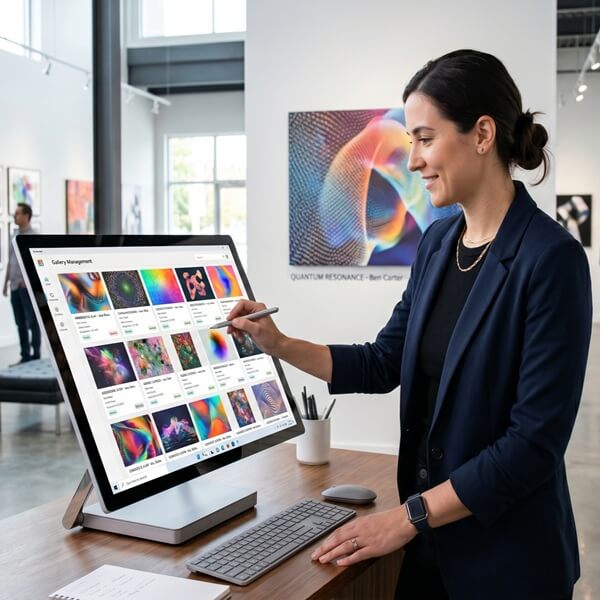
Ensure hardware aligns with the technical requirements stored in Onward. Moving to 8K displays? Review compatible artworks first. Your building’s architecture can shape where and how digital works are displayed, which affects hardware choices and placement. Collectors can support new mediums and cutting-edge art through digital platforms, but only if the technology infrastructure keeps pace.
Plan for Next Generation and Emerging Formats
Artists can receive automatic royalties from secondary sales of NFTs. AI-generated works and browser-based experiences present new subjects for your collection. Choose tools like Onward that flex with the change in media rather than locking you into static files. Draw inspiration from how museums have adapted, and learn from their approaches to preservation and presentation.
FAQs: Practical Questions About Digital Art Collection Management
How do we transition from spreadsheets to Onward?
Start with an audit of existing files. Map your spreadsheet columns to Onward’s fields, batch-import metadata, then upload or link files. Onward’s team can provide onboarding support to make the step manageable – most organizations complete migration within weeks.
Where should we store master files versus display copies?
Onward manages relationships between archival masters, working copies, and compressed display versions. Each is linked to the same record, so provenance and integrity are preserved. Nothing gets downloaded from an unlabeled folder again.
How do insurers view digital art?
Insurers need accurate metadata, provenance, and valuation. Digital art was a primary focus for collectors in 2023 and remains so today – representing a growing category insurers are adapting to cover. Onward’s documentation and audit trails directly support claims, including for cyber-related incidents.
Can Onward manage NFTs and blockchain-based assets?
Yes. You can record token IDs, wallet addresses, smart contract links, and off-chain media files alongside traditional inventory data. Blockchain technology verifies ownership, but your operational records still need a home – books of provenance and contract terms belong in your collection management system.
When should we move beyond spreadsheets?
If you manage more than 75 digital works, operate across multiple locations, hold licenses with expiration dates, or enjoy a variety of media types in your collection, a dedicated platform will save you time and reduce risk. Digital art collections in 2023 and beyond demand more than a February spreadsheet audit once a year.
Ready to centralize your digital art collection? Request a demo of Onward and see how organizations across the world use it to manage every work – from a single online portal.